

Fast HTTP redirect server.
Rules in a plain file · web administration · REST API · Docker, .deb and Homebrew


Documentation · Getting started · Rules · Administration · REST API
redirect-proxy sits in front of your website, behind the web server or
load balancer that terminates TLS: it answers the requests its rules match
with 301/302/303/307/308 redirections, and passes every other
request on to the website (server.upstream), as a reverse proxy. Domains
that only redirect need no website behind it. It is written in Gleam for the Erlang VM: the compiled rule
set is read by every request without locks, exact rules are O(1) lookups,
and one OS process with no database serves hundreds of thousands of
concurrent connections.
It is hard to break: an invalid rules file is never loaded, every write is
atomic and backed up, regular expressions run with a backtracking budget,
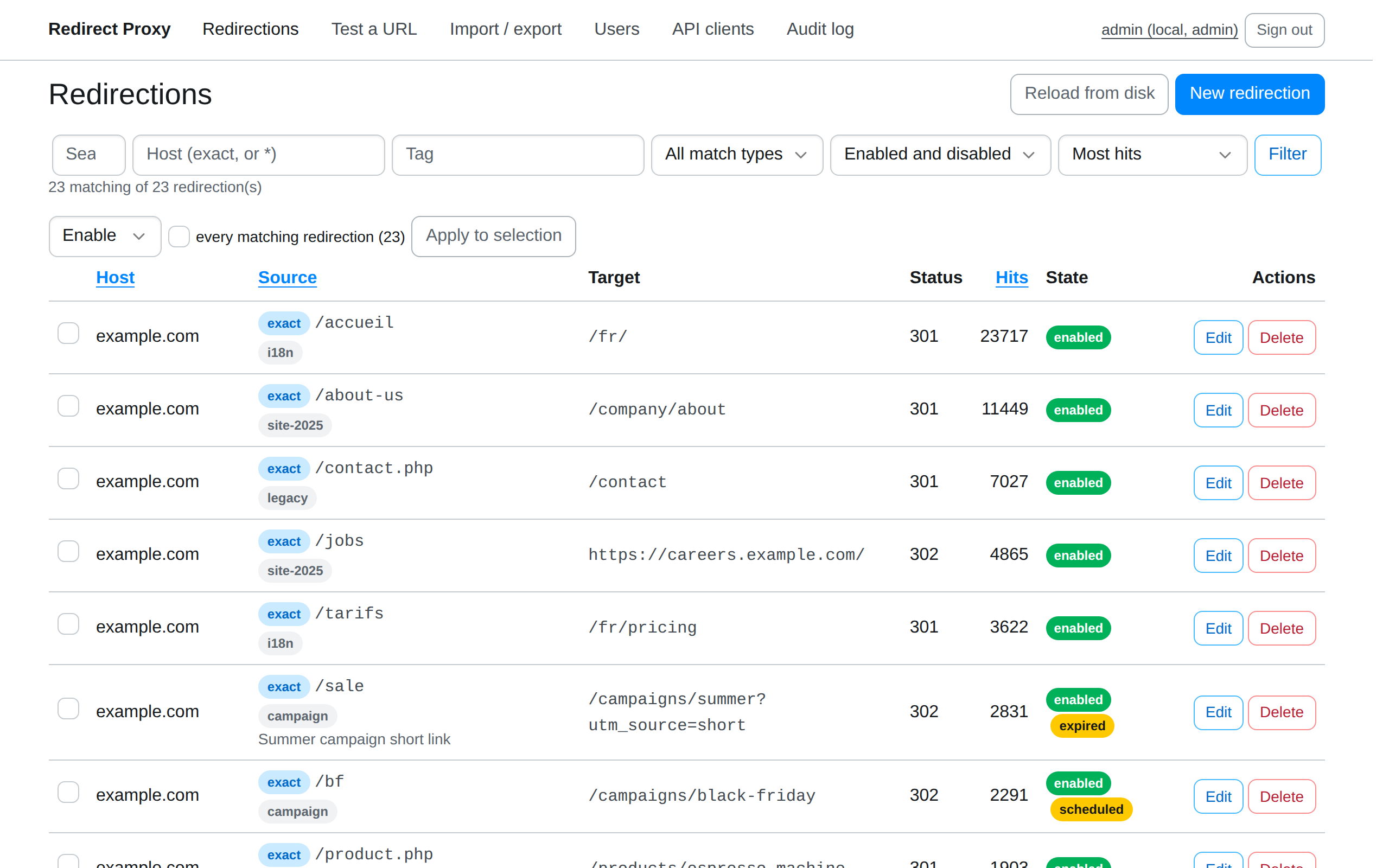
and OTP supervises it all. Rules live in redirects.json, which you can
version, generate or edit by hand, and are managed from a web
administration, a REST API with OAuth 2.0, or the command line, with local
accounts, OpenID Connect or proxy-header sign-in, an audit log, Prometheus
metrics and access logs.
Requests per second on a GitHub Actions Linux runner (4 vCPUs, 2 for the server) with 10,000 exact, 1,000 prefix and 500 regex rules, measured on 2026-11-13:
| Server | Version | Exact | Prefix | Regex | Miss | Memory |
|---|---|---|---|---|---|---|
| redirect-proxy | 0.7.11 | 71.2 k | 61.8 k | 54.5 k | 68.4 k | 74 MiB |
| nginx | 1.30.6 | 102.1 k | 102.1 k | 23.1 k | 26.8 k | 24 MiB |
| HAProxy | 3.4.7 | 106.3 k | 100.0 k | 29.8 k | 32.6 k | 24 MiB |
| Caddy | 2.11.9 | 5.8 k | 2.2 k | 5.2 k | 2.3 k | 134 MiB |
| Traefik | 3.7.18 | 4.9 k | 7.7 k | 23.9 k | 2.0 k | 184 MiB |
| Apache httpd | 2.4.71 | 39.1 k | 9.0 k | 7.1 k | 6.6 k | 27 MiB |
Updated every week from the Benchmark workflow. See Performance for the method, latencies and configurations.
docker pull ghcr.io/janalis/redirect-proxy   # linux/amd64, linux/arm64
brew install janalis/tap/redirect-proxy      # macOS
.deb packages for Debian 12+ and Ubuntu 22.04+, self-contained Linux
bundles and a portable Erlang bundle are on the
releases page. See
Installation
for each platform, verifying downloads and building from source.
docker run -d --name redirect-proxy \
  -p 8080:8080 -p 127.0.0.1:8081:8081 \
  -v redirect-proxy:/var/lib/redirect-proxy \
  -e RP_BOOTSTRAP_ADMIN_USERNAME=admin \
  -e RP_BOOTSTRAP_ADMIN_PASSWORD='choose-a-long-password' \
  ghcr.io/janalis/redirect-proxy:latest
Open the administration at http://localhost:8081, create a redirection, then try it:
curl -sI http://localhost:8080/old-page
# HTTP/1.1 301 Moved Permanently
# location: https://example.com/new-page
The redirect listener (8080) is meant to be public; keep the admin
listener (8081) on a trusted network. The
getting started guide
walks through it, including what to do with the bootstrap password.
In front of your website, add -e RP_SERVER_UPSTREAM=http://your-site:3000:
requests no rule matches go on to it. Behind nginx, HAProxy, Apache httpd,
Caddy or Traefik, see
Web servers
for tested configurations: in front of a site, domains that only redirect,
or the web server sending redirect-proxy only the pages a site no longer
has. Moving redirects out of nginx or Apache configuration:
Migrating.
Kubernetes and Docker Compose examples are in
Deployment.
An optional TOML file (RP_CONFIG, or /etc/redirect-proxy/config.toml)
sets listeners, storage, sign-in, the API and access logs, and every option
can be overridden with an RP_<SECTION>_<KEY> environment variable. See
Configuration
and config.example.toml.
Bug reports and pull requests are welcome. Read CONTRIBUTING.md and the development guide.
make dev            # http://localhost:8081, admin / change-me-please
make check          # format check, strict build, linters, tests
make docs-dev # preview the documentation siteMIT. The bundled Bootstrap
6.0.0-alpha.1 is also MIT licensed (priv/static/bootstrap/LICENSE).